
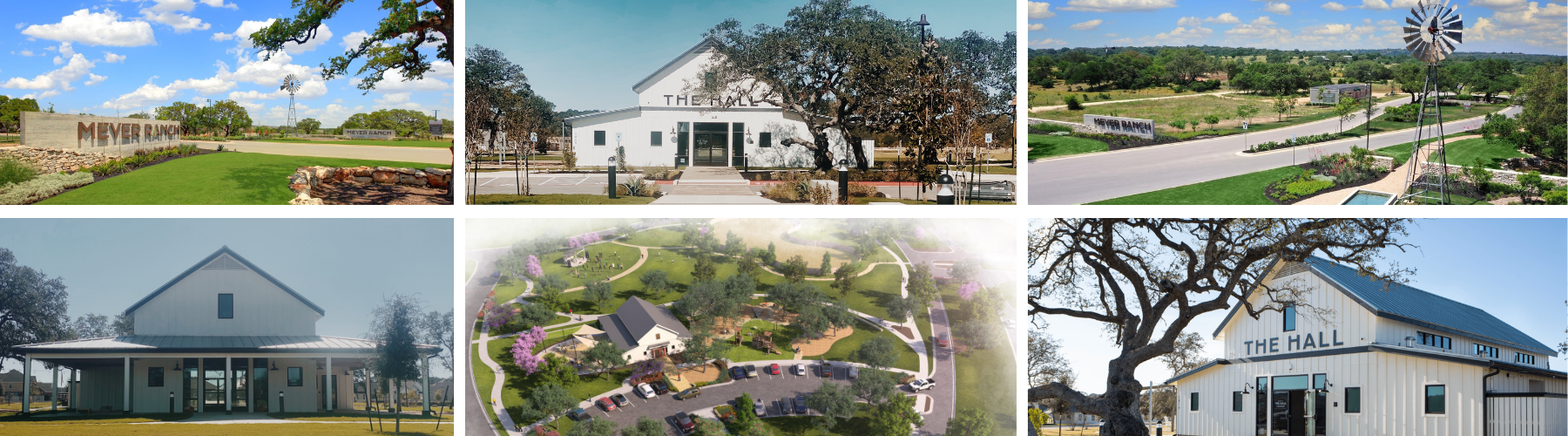
Welcome to the Meyer Ranch Amenities Page!
Here you will find detailed information on the Amenities of Meyer Ranch! If you have any questions after viewing this page please direct them to: Info@kithmanagement.com
- What Amenities Does The Community Have? Community Green
- Dog Park
- Playground Trail System - Scroll down to view the Trail Map
- Fire Pit
- The Hall - Open for daily residential use 9:00 AM - 6:00 PM Mon -Thurs. THE HALL IS CLOSED FOR PRIVATE RESIDENT RESERVATIONS ON FRIDAYS - SUNDAYS.
THE OUTSIDE BATHROOM DOOR WILL REMAIN ACCESSIBLE EVERYDAY 6 AM - 10 PM. - The Haus (Community Pool & Gym)
- Community Pool Hours - 6:00 AM - 10:00 PM
- Pool Season is from March 3rd - October 31st
- The Pool will CLOSE for the winter season on November 1st
- Community Fitness Center Hours - 5:00 AM - 10:00 PM
How to Order a Remote Access Device (RAD):
- Check your balance. Requests will not be processed for any past-due accounts.
- Review the device fees and pool rules.
- Submit the Remote Access Device request.
Please read and select the appropriate form via the above link to obtain the correct Remote Access Device for your property.
Order your Device: https://www.kithmanagement.com/remote-access-devices
Hint(s):
- Click the existing resident button in the middle, if you have an active homeowner account on Townsq. This means you are in the system already.
- Click the new resident button on the left, if you recently closed on your property within the last 45 days.
- Click on the new resident button on the right, if you received a device at closing from the previous owner and need to activate it.
Reserving The Hall
Below you will find instructions on how to reserve the clubhouse. If you would like more detailed instructions, please visit: https://www.kithmanagement.com/post/how-to-easily-reserve-amenities-in-townsq-a-step-by-step-guide-for-residents.
- Review your account to ensure you do not have an outstanding balance. You can do this by logging into your TownSq account, or you can do this by accessing your CINC banking portal.
- Check if you have any pending violations. This will need to be accessed via CINC see article on how to submit here
- Once you have confirmed that you do not have any open violations, and do not have an outstanding balance, please log in to your TownSq account.
- Once logged in, click on Community, then scroll over Reservations, you will see an option for Amenities, please click that.
- Once you have the Amenity page in TownSq open, click the amenity you would like to reserve and follow the prompts.
Clubs/Groups
We encourage residents to join and lead clubs/groups in the Community. Please follow the steps below if you are interested in creating a club/group. To see the current clubs/groups in the community please visit the association calendar upon logging in.
1. Review the posted Facility Use Agreement for Private Rentals HERE.
*Please do not submit this form, as it is for private rentals. We just need you to familiarize yourself with this information, as these rules apply to your meetings.
2. Review the posted Club/Group Policy HERE.
3. Check the community calendar to understand what recurring monthly dates are available for your Club/Group meeting times. Please keep in mind that monthly recurring dates are the only frequency permitted.
4. Review and submit your request to launch your Club/Group HERE.
Examples of Clubs/Groups we see frequently:
- Bunco Night
- Ladies Night
- Mens Night
- Poker Night
- Card Games
- Family Game Night
- Video Game Night
- Get to Know your Neighbor Night
- Book Club
- Art Club
- Playdate Club